A few days ago I posted about promo Kaspersky internet security 2011 license key. But this promo Kaspersky for Chinese version only and doesn’t work on English version. For non Chinese user its problem because most of them don’t understand with the interface Kaspersky 2011 Chinese version. If your non-Chinese users, you can change the interface Kaspersky into the English language with just a few settings.
If you want to change the interface Kaspersky 2011 Chinese to English you can change Kaspersky registry setting and disable the self defense during the setting.
Instalation process Kaspersky Internet Security 2011 Chinese
- Download offline installer Kaspersky 2011 Chinese version here: kis11.0.1.400zh-Hans-CN.exe
- Install the Kaspersky software and follow the installation process. After the kasperky windows form appear, enter the Kaspersky 2011 license key that you received. If you if you don’t have a Kaspersky license key you can grab KIS 2011 license key here: free KIS 2011 license key and follow the installation process until finish.
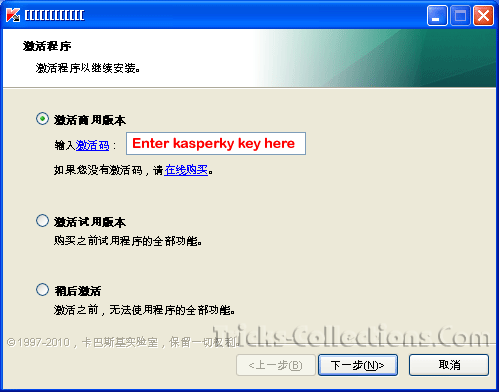
How to change Kaspersky internet security Chinese version to English Interface
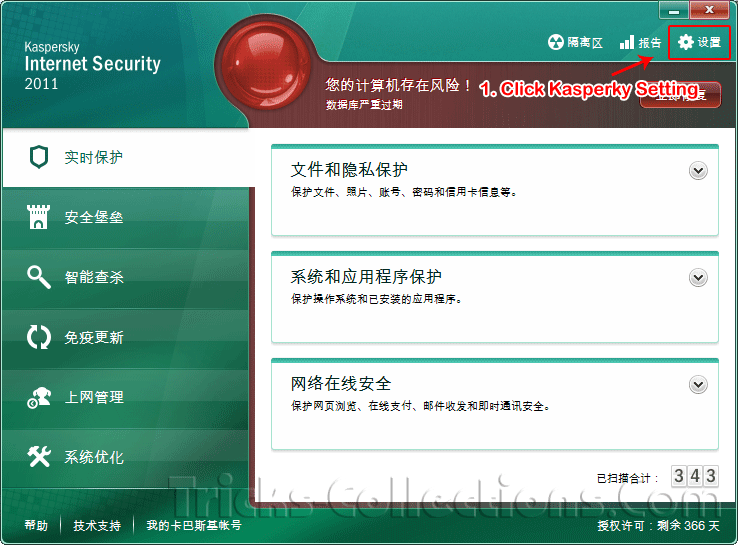
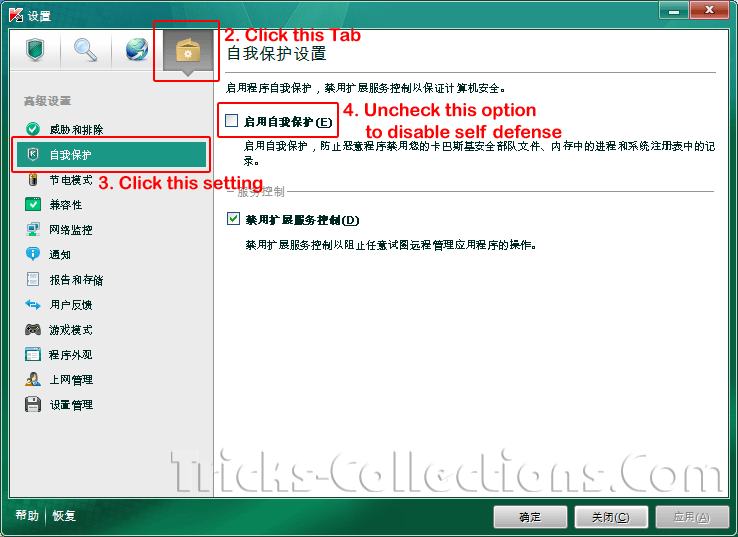
- Disable self defense on the Kaspersky Internet Security 2011. Click Kaspersky setting then uncheck self defense option (see the picture to disable self defense on Kaspersky 2011)
- Open registry editor. Go to this registry setting: “HKEY_LOCAL_MACHINE | SOFTWARE | KasperskyLab | protected | AVP11 | environment” and change the SkinSwitchDisabled value from 1 to 0 then save the setting.
- Open Kaspersky Internet Security 2011 main interface, Press Shift+F12 on keyboard. After clicked the button the interface Kaspersky will be switched instantly from Chinese to English interface.
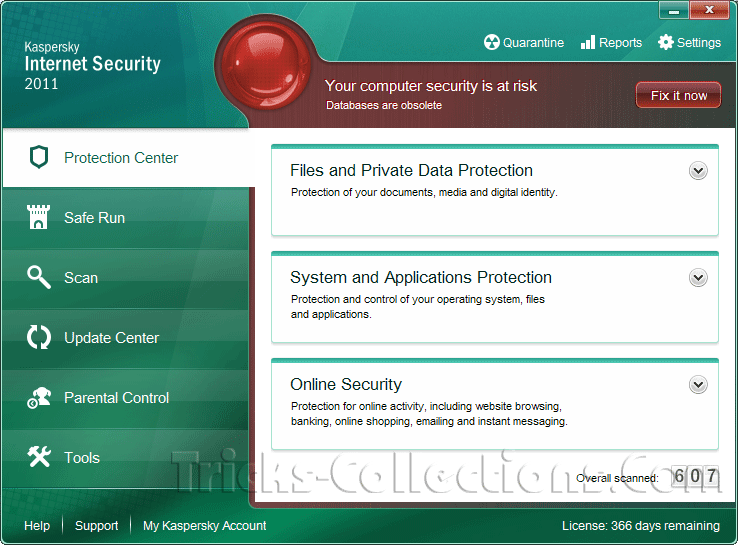
I think this tips also work on other Kaspersky version.
Warning (Update): After tested a few day, don’t switch your Kaspersky interface to English vesion because it caused many problem on you computer such as:
- You license will error if switched the interface to English (if you activated automatic update).
- A few program blocked with this Kaspersky after switched the interface

No comments:
Post a Comment